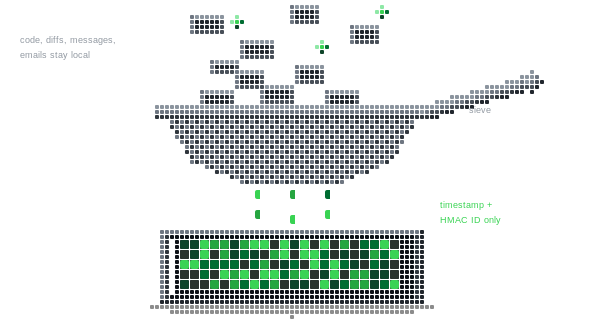
The Golden Gate Bridge drawn in contribution-graph squares

Your work happens off GitHub. Your graph should show it.

GitHub only counts commits it hosts. gbridge mirrors the commits you author anywhere else onto your contribution graph, 1:1, on their real dates. Only timestamps and opaque IDs leave your machine.

Works with any server you can git clone from.

GitLab
Bitbucket
Gitea
Forgejo
Codeberg
Any git server
Self-hosted

How it works

No API tokens for your work host. gbridge reads commit metadata from the clones you already have.

1

Read your clones

Scans local repos for commits authored by your work emails, on every branch.

2

Strip everything

Keeps the author date and an HMAC ID. Code, messages, file names, and emails stay local.

3

Mirror to GitHub

Writes one empty, backdated commit per source commit to a private repo you own. Rerun any time: sync is idempotent.

Commit squares cross a suspension bridge from a private forge to a GitHub contribution graph

Real account, real numbers

The maintainer's own graph, 12 months to 2026-11-02: 2,292 commits mirrored from non-GitHub hosts.

Contributions, 12 months
+33%
6,994 → 9,268
Contributions, last 9 weeks
2.3×
1,799 → 4,073
Active days, last 9 weeks
63/63
was 57 of 63
Longest streak
95 d
was 82 days
A contribution graph before and after gbridge sync. Sample data.

Real commits only. gbridge never fabricates activity or pads streaks, so it stays within GitHub's acceptable use policy.

Two fields leave your machine

Per commit. Nothing else, ever.

  • TimestampExact for a private mirror, date-only for a public one.
  • Opaque 12-char IDHMAC(secret, email, author time). Without your local secret, nobody links a mirror commit back to its source.
codediffsmessagesfile namesrepo namesemails
Sieve catching code, diffs, messages, and emails locally while only timestamps and opaque IDs pass to the GitHub mirror

Do you need it?

Some setups are already counted. Check before you install.

already counted

github.com org

Turn on Include private contributions on my profile and verify your work email.

already counted

GitHub Enterprise Server

Link accounts with GitHub Connect unified contributions.

use gbridge

Everything else

GitLab, Bitbucket, Gitea, Forgejo, Codeberg, Azure DevOps, on-prem servers, air-gapped boxes.

Install

Needs git and the GitHub CLI logged in. One binary, no daemon.

Then: gbridge init --email you@work.com --scan ~/work, gbridge plan to preview, gbridge sync to mirror. Add gbridge hook install to sync on every push. Binaries for every platform on Releases, with checksums, SBOM, and provenance.

FAQ

How do I show GitLab contributions on my GitHub profile?

Clone your GitLab repos locally, run gbridge init --email you@work.com --scan ~/work, then gbridge sync. Each commit you authored becomes one empty commit in a private GitHub repo you own, on the same date.

Can Bitbucket or self-hosted commits count on GitHub?

Yes. gbridge reads local clones, so the host doesn't matter: Bitbucket Cloud or Server, Gitea, Forgejo, Codeberg, or a bare repo on a box in a closet.

Will my employer's code end up on GitHub?

No. The mirror holds empty commits with a timestamp and an opaque ID. Check your employment contract anyway before mirroring employer work.

Is this faking activity?

No. It mirrors real commits 1:1 on their original author dates. It never invents commits, pads streaks, or edits history.

Why aren't my squares showing up?

Run gbridge doctor. Private mirrors need Include private contributions on my profile enabled, and GitHub can take up to 24 hours to update the graph.

What about rebases and squash merges?

Rebase, cherry-pick, and amend keep the author date, so the commit keeps its ID and counts once. A squash merge creates a new commit, which mirrors alongside the original branch commits while they remain in your clone.

Fill in the gaps.

Free, open source, MIT licensed.